Description
Disk Audit PowerShell Script
The disk_audit.ps1 script allows system administrators to audit disk usage across one or multiple Windows servers.
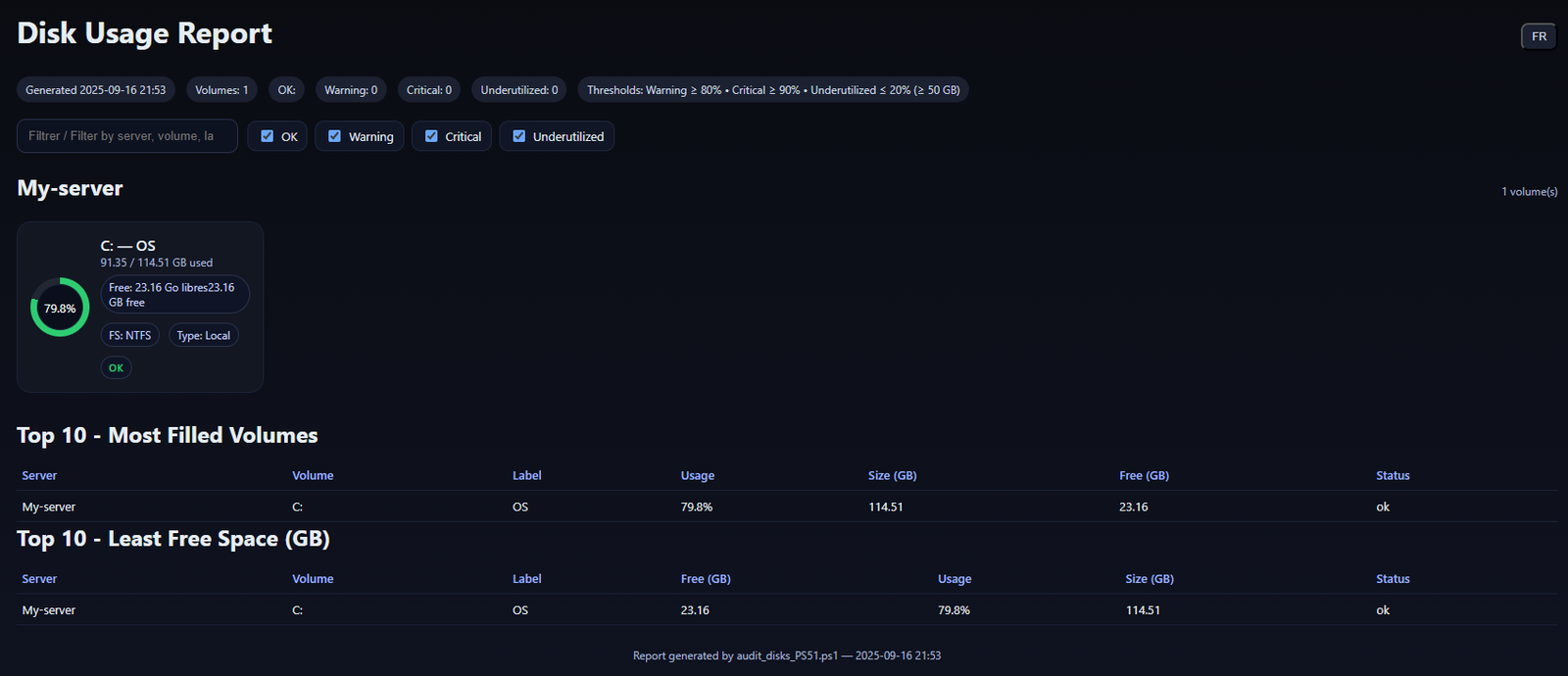
It retrieves disk information (size, used, free space) via WMI/CIM and generates a graphical HTML report with filters, search, and Top 10 tables.
An optional CSV export is also supported.
✅ The HTML report is bilingual (English/French) and includes a toggle button to switch languages.
How It Works
- The script reads a list of servers from a text file (
servers.txt) or from the-ComputerNameparameter. - For each server:
- Checks if the host is reachable (ping).
- Queries logical disks (
Win32_LogicalDisk) using CIM/WMI. - Calculates disk usage, applies thresholds (Warning, Critical, Underutilized).
- Results are consolidated into:
- A dynamic HTML report with visual charts and filters.
- An optional CSV file containing raw data.
Parameters
| Parameter | Description | Default |
|---|---|---|
-ServerListPath |
Path to a text file with one server per line (supports # comments). |
None |
-ComputerName |
One or more servers specified directly. | None |
-Credential |
Optional credential for remote access. | Current user |
-OutputHtml |
Path to the generated HTML report. | .\DiskUsageReport_yyyyMMdd_HHmm.html |
-OutputCsv |
Optional CSV export path. | None |
-WarnPct |
Warning threshold (% used). | 80 |
-CritPct |
Critical threshold (% used). | 90 |
-UnderUtilizedPct |
Underutilized threshold (% used). | 20 |
-MinSizeGBUnderUtilized |
Minimum size (GB) for underutilized volumes. | 50 |
-IncludeNetworkDrives |
Include mapped network drives (DriveType=4). | Off |
Examples
# Audit servers from a text file
.\disk_audit.ps1 -ServerListPath .\servers.txt -OutputHtml "C:\Reports\DiskReport.html" -OutputCsv "C:\Reports\DiskReport.csv"

# Audit a single server
.\disk_audit.ps1 -ComputerName SRV-FILES -OutputHtml .\DiskReport.html
HTML Report Features
- Bilingual interface: English/French toggle.
- Summary section with OK, Warning, Critical, Underutilized volumes.
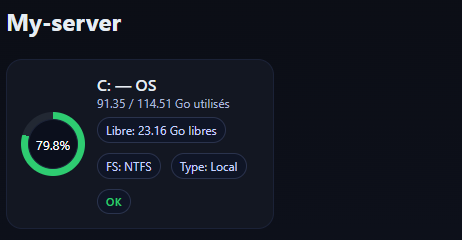
- Server-by-server disk cards with circular usage charts.
- Top 10 most filled volumes.
- Top 10 volumes with least free space.
- Search box and status filters.
Requirements
- Windows with PowerShell 5.1.
- Remote servers must allow WinRM/WMI access.
- Run with permissions allowing disk queries on remote servers.
Avis
Il n’y a pas encore d’avis.