Description
WSUS Weekly Maintenance & Reports – The Ultimate PowerShell Script for IT Admins
Tired of messy WSUS servers and endless troubleshooting?
With just one script, you can keep your WSUS environment clean, optimized, and fully under control.
✅ Clear Weekly Reports – Automatically generate detailed HTML, CSV, and JSON reports.
✅ Multilingual Output (FR/EN/ES) – Perfect for international IT teams.
✅ Key KPIs at a Glance – See up-to-date, pending, and failed updates instantly.
✅ Automated E-mail Delivery – Receive reports directly in your inbox, no manual export needed.
✅ Proven in Production – Tested in large infrastructures with thousands of endpoints.
Save hours every week, improve patch compliance, and keep your infrastructure audit-ready — all with one professional PowerShell script.
—
## ✨ Features
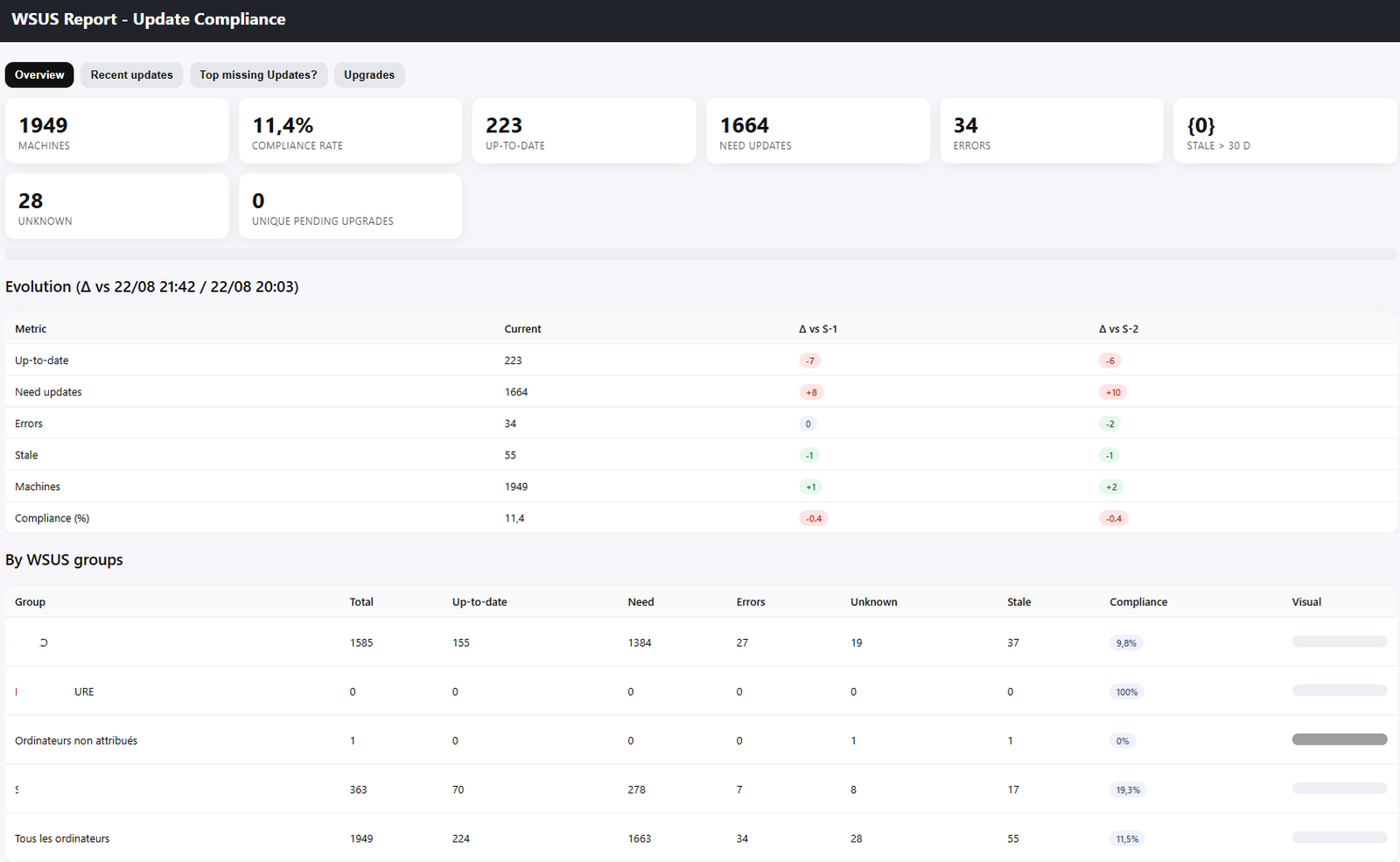
– **Overview**: compliance, up-to-date / need updates / errors / stale / unknown
– **By WSUS groups**: metrics + visual bar
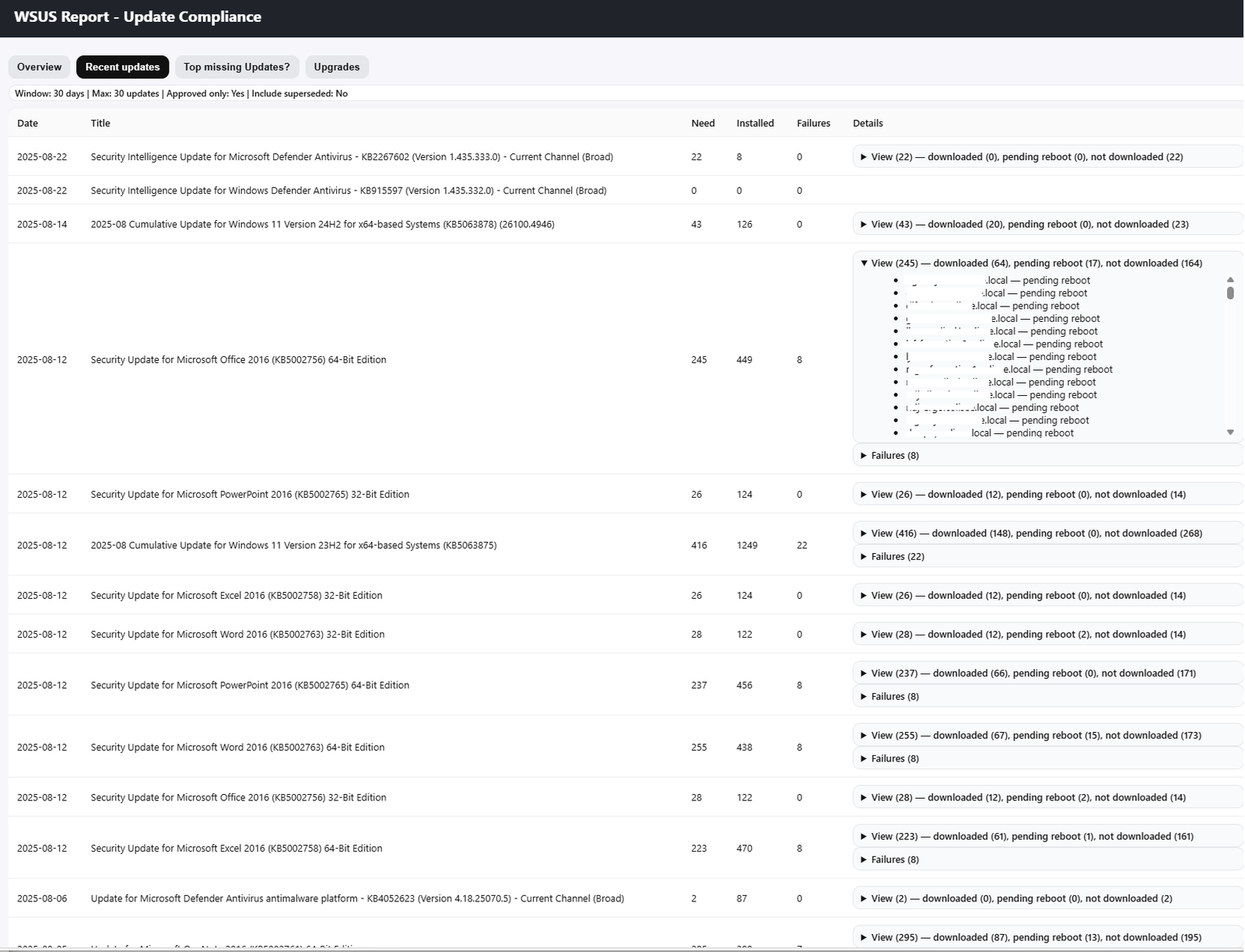
– **Recent Updates**: sliding window (days), filters “approved only” & “superseded”
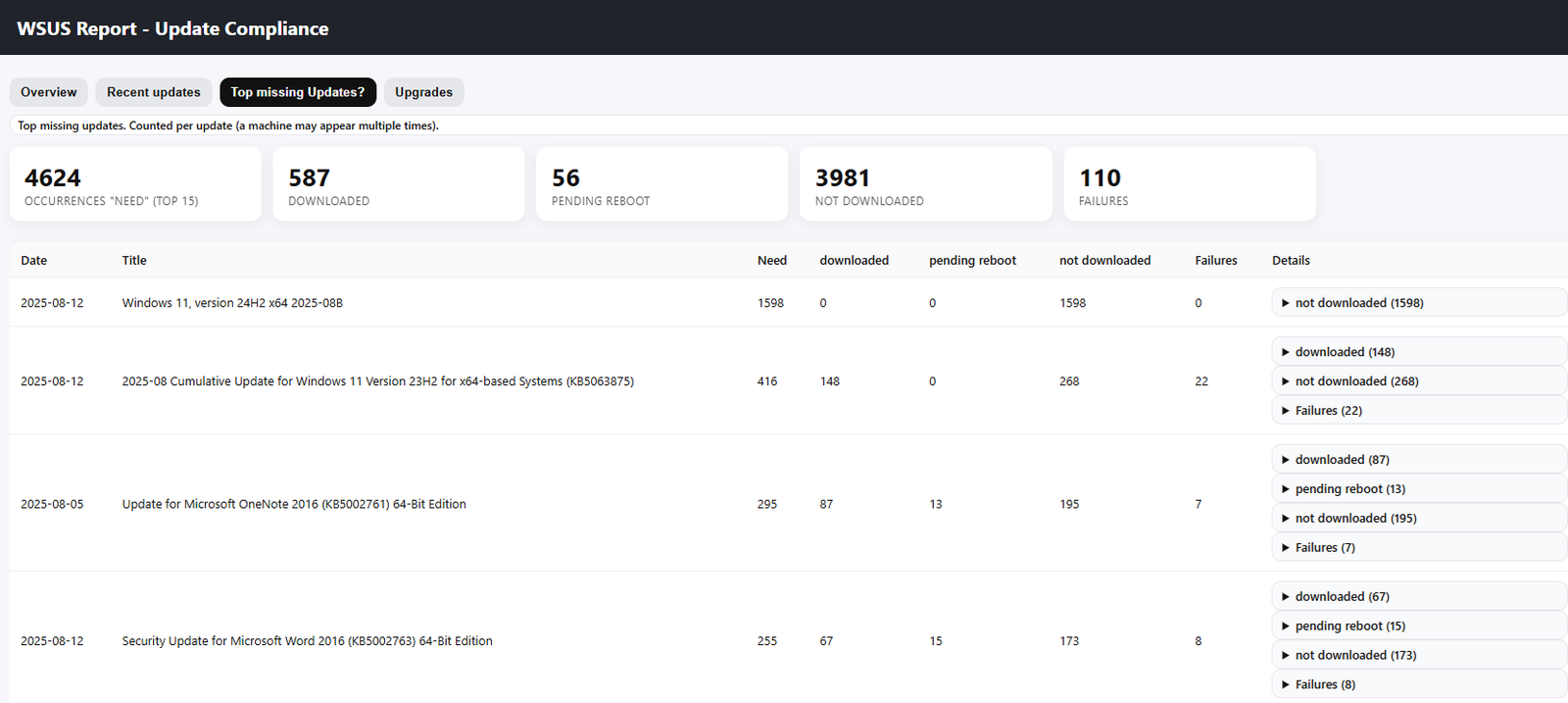
– **Explain (Top)**: updates contributing most to “Need”
– **Upgrades (Feature updates)**: machine-deduped counters
– **History & Δ (S-1/S-2)**: reads older reports (FR/EN/ES)
– **Exports**: HTML + JSON (always), CSV (optional)
– **Languages**: `-Lang auto|fr|en|es` (auto = system UI culture)
– **Email SMTP**: relay or SMTP AUTH—auto-localized subject/body if empty
– **Retention**: automatic cleanup keeping `-MaxKeep` reports
—
## ✅ Prerequisites
1. **Network access to WSUS**
– 8531/TCP if HTTPS (`-UseSSL:$true`) or 8530/TCP if HTTP (`-UseSSL:$false`)
2. **WSUS API** on the machine running the script
– WSUS Admin Console (Management Tools) **or** DLL paths:
`C:\Program Files\Update Services\api\Microsoft.UpdateServices.Administration.dll`
`C:\Program Files (x86)\Update Services\api\Microsoft.UpdateServices.Administration.dll`
3. **Account**: member of *WSUS Administrators* (or at least Reporter for read)
4. **SMTP**
– Internal relay (25/TLS if M365 relay) or SMTP AUTH (587/TLS)
—
## 📦 Installation
1. Copy the script into a folder (e.g., `C:\Script\`).
2. Optional: create a DPAPI secrets folder (e.g., `C:\Scripts\secrets\`).
3. Install WSUS console or place the WSUS DLL.
4. (Optional) Edit the **centralized email config** block inside the script.
—
## 🚀 Examples
### 1) From a machine with WSUS console (HTTPS)
In a powershell prompt:
.\Wsus-Weekly-Maintenance_Universal_multilingual_email.ps1 -Lang en -Server myserver.domain.local -UseSSL:$true -Port 8531
Or simply run the script in powershell ISE if you launch it from your WSUS server.
Avis
Il n’y a pas encore d’avis.